
There are a number of common problems that can happen when trying to use Modbus with the ALiEn2 or Sasquatch. Please check each of the sections below.
To eliminate most variables right off the hop, start your testing with Vision and Link as they are pre-setup to work with ALiEn2 and Sasquatch.
Is Modbus enabled?
For the ALiEn2, Modbus is diabled by default to save power.
- Press install
- Navigate down to Modbus and press select
- Enable Modbus is the first screen
- Configure the rest of the settings.
Mismatched Comm Port Settings
Just because you are using RS-485 Modbus doesn’t mean things will go off without a hitch. Make sure that all your serial port settings match:
- Protocol
- Baud Rate
- Data Bits
- Parity
- Stop Bits
The default comm port settings for all ETC devices are 9600 8N1.
Incorrect Wiring
This seems like an obvious one, but in many cases, different devices get the labelling of A and B backwards. Try swapping the A and B connections and give it another go.
If using Link, make sure the mode selection switch on the back is set correctly.
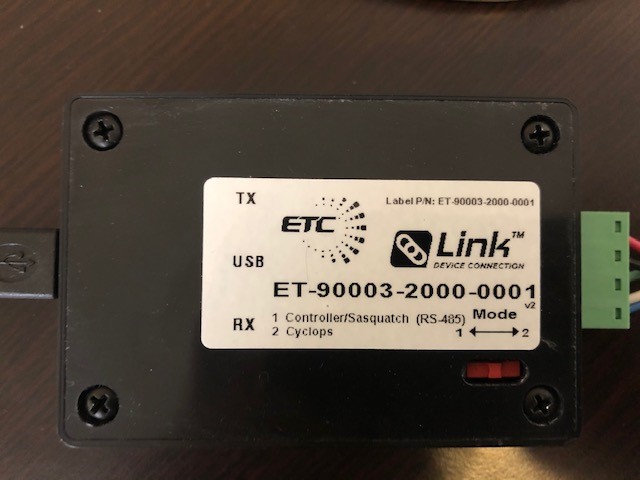
Wrong Station Address
Even if all the comm port settings match and you have a physical connection, your messages might still get dropped if they are for a different station address. Make sure that the slave address on the controller or sensor you are working with has been set and that it matches the setting on the master side.
The default station address for all ETC devices is 1.
Incorrect Addressing
One of the most common problems when integrating systems from different vendors is that the interpretation of the register numbers can be off by 1.
As per the standard, the register 1 has address 0. If you are reading the Modbus Guide for an ETC product, make sure that the actual address being sent by the server is one less than the register number specified.